FR

IPTV player · Android TV · iPhone · iPad

The IPTV player that turns your playlists into a real film library.

Filano is an elegant IPTV player for the M3U playlists, Xtream Codes logins and EPG (XMLTV) TV guides you already have. Posters, film pages, series sorted by season, TV guide and resume playback: it's all there, with no account and no tracking.

Coming soon toApp Store Coming soon toGoogle Play Free · see plans

Free, with no ads and no account: films, series, live TV and the TV guide. Optional Premium for €19.99, a single purchase, no subscription.

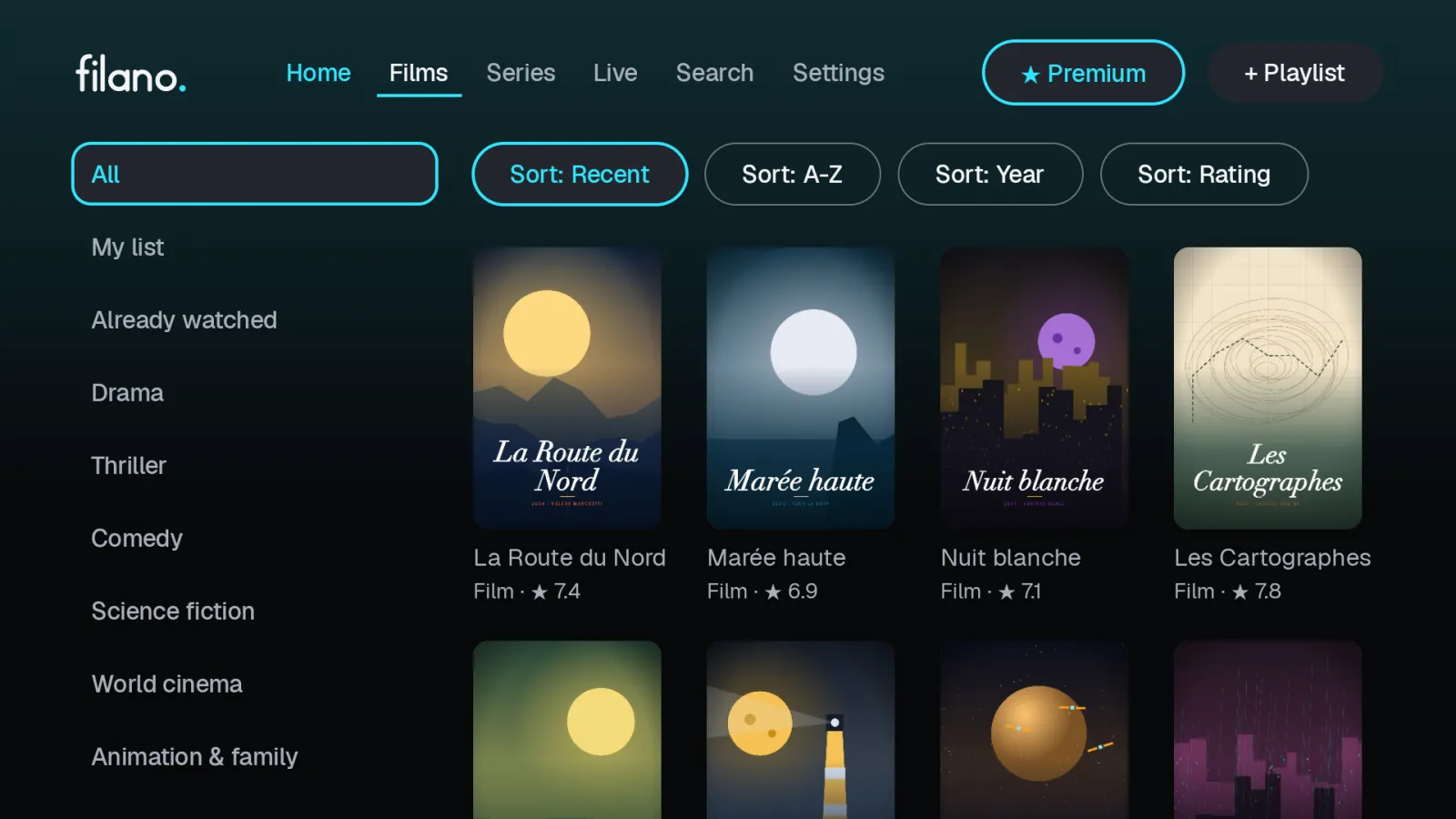
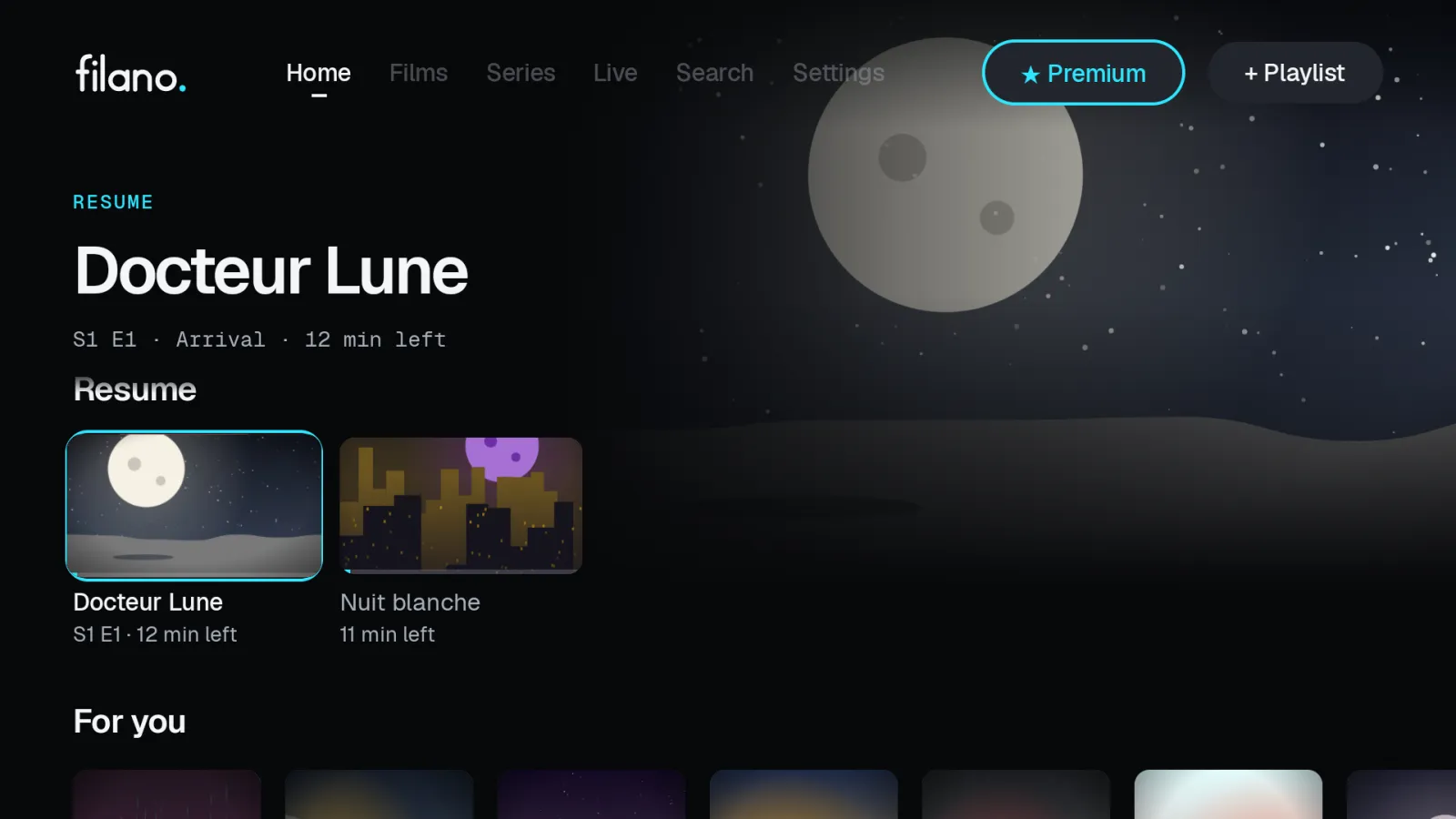
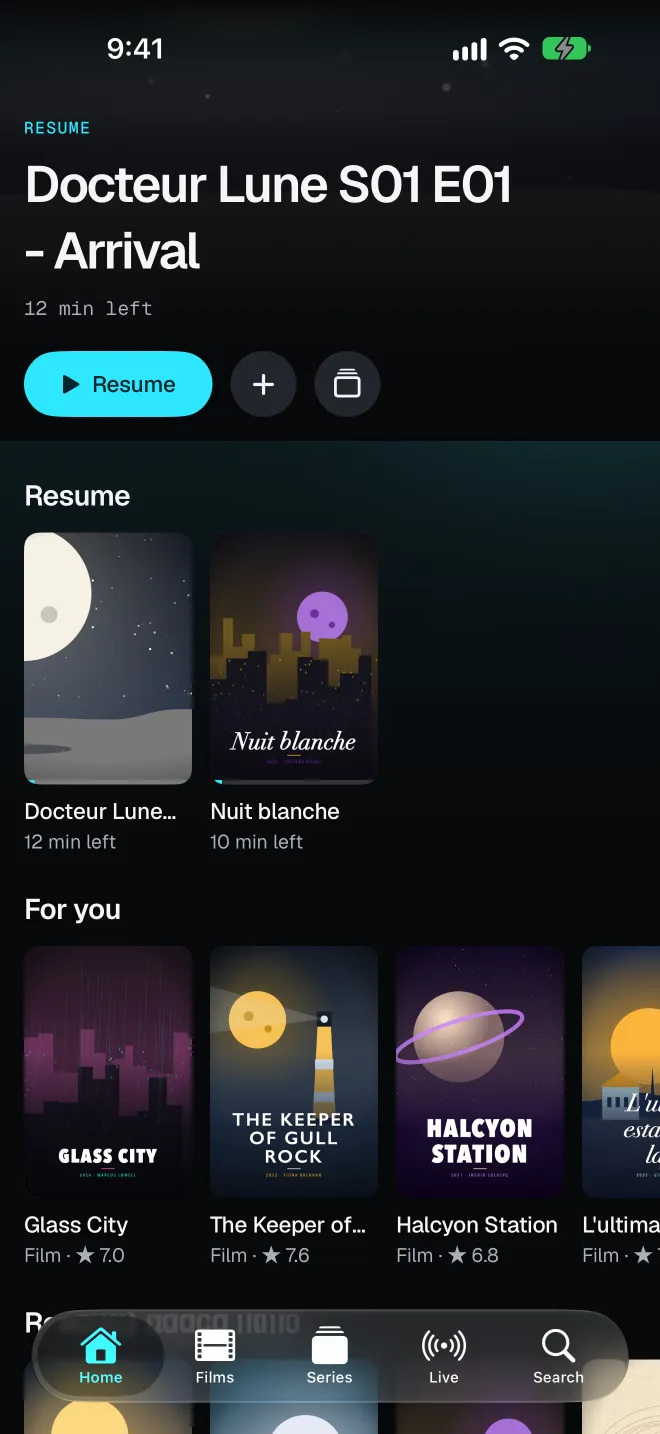
The Filano IPTV player on Android TV: a fictional series to resume in the spotlight, the Resume row and the “For you” recommendations. The Filano IPTV player on iPhone.

Filano is an IPTV player: it provides no channels and no content. The app only plays the sources you add. Every title shown on this page is fictional.

Trailer

Filano in 35 seconds.

How it works

IPTV, how does it work?

IPTV is TV and on-demand video delivered over the internet. You need two things: a source, meaning a subscription with an IPTV provider, and a player to watch it. Filano is the player.

  1. Get an IPTV source

    Your provider gives you either the address of an M3U playlist (a link that often ends in “.m3u” or contains “get.php”), or an Xtream Codes login: a server address, a username and a password. Often also the address of a TV guide. Choose a provider that holds the rights to what it streams.

  2. Install Filano

    On your Android TV or Google TV television or box from Google Play, on iPhone and iPad from the App Store. No account to create, and a demo playlist lets you try the app right away.

  3. Add your playlist

    Choose “+ Playlist” on the TV, or tap “+” on iPhone and iPad. Enter your Xtream login (server, username, password), paste the M3U address or import a file. The TV guide is optional: Filano uses the playlist's own if it has one. Your logins stay encrypted on the device.

  4. Watch

    Filano sorts everything: films with their posters, series by season, live channels with their schedule. Pick up where you left off, and with Premium, on another device.

M3U
A list of links to channels, films and series, as an address or a file.
Xtream Codes
A login with a server, username and password: Filano also gets posters, synopses and categories from it.
EPG (XMLTV)
The TV programme guide: what is on now and next on each channel.

At a glance

What is Filano?

Filano is an IPTV player app for iPhone, iPad, Android TV and Google TV. It plays the M3U and M3U8 playlists, Xtream Codes logins and XMLTV EPG TV guides your provider gives you, and presents them as a film library: films with posters and pages, series sorted by season, live channels with what's on. Filano provides no channels, no films and no IPTV subscription.

Type
IPTV player, with no content included
Devices
iPhone and iPad; Android TV and Google TV sets and boxes
Sources
M3U and M3U8 playlists (address or file), Xtream Codes logins, XMLTV EPG guides, HLS streams
Price
Free; Premium at €19.99 as a single purchase, no subscription
Account
Optional, only to sync your devices
Privacy
Playlists encrypted on the device, no ads and no tracking in the app
Languages
10 languages, including English and French
Availability
Coming soon to the App Store and Google Play

Features

An IPTV player made for people who love films.

An IPTV playlist is often thousands of lines. Filano sorts them, groups them and puts pictures on them, so you spend your time watching rather than searching.

Films

Your IPTV films, each with a real page.

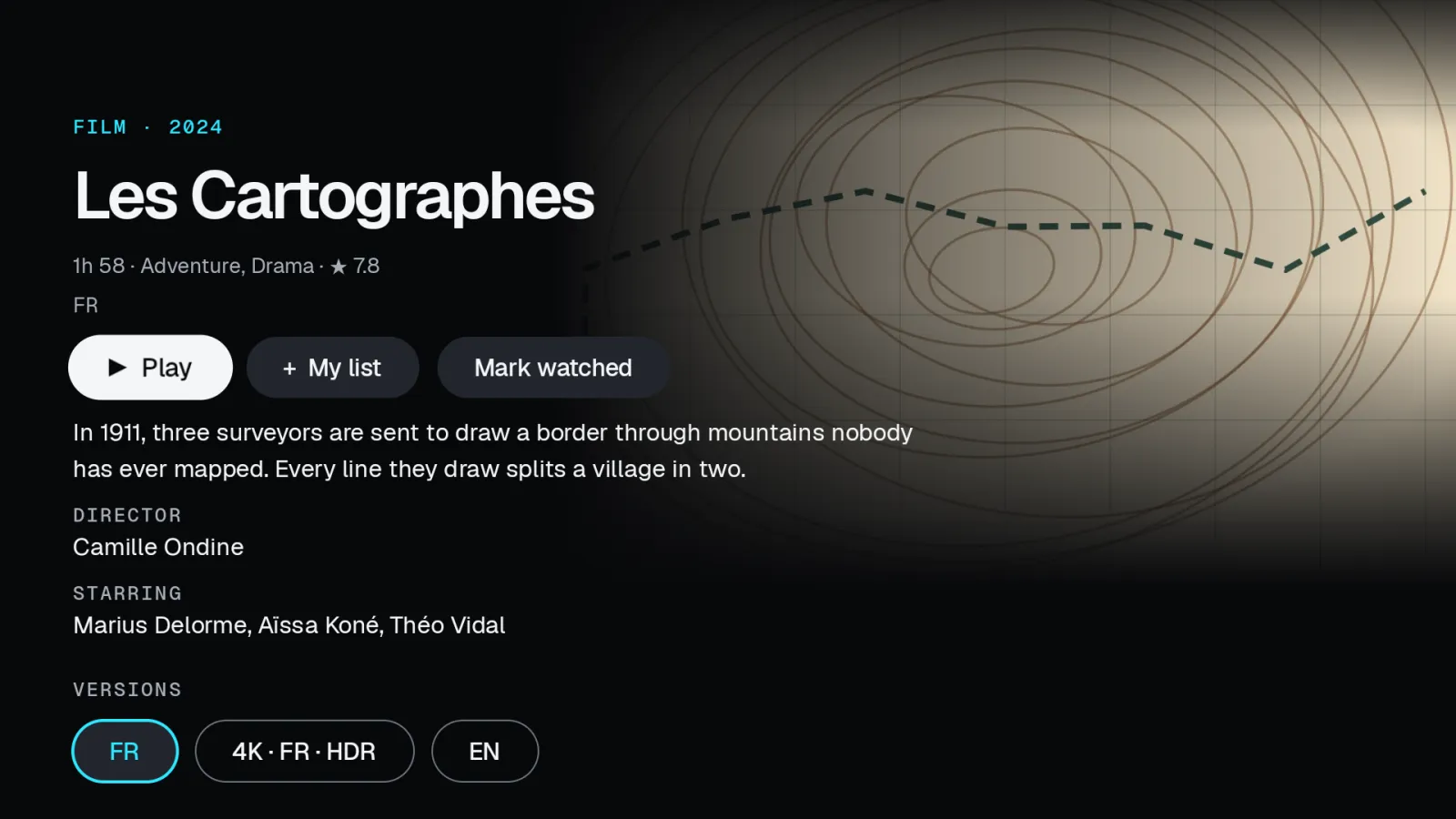
Big poster, synopsis, director, cast, runtime and rating, when your source provides them. And every version of a film gathered in one place.

  • 4K, HDR, dubbed, subtitled: versions are grouped, you pick one before you press play.
  • My list and Watched, to keep track of what you want to see and what you've seen.
  • Resume right where you left off.
  • No poster in the IPTV playlist? Filano designs a typographic one instead of an empty square.
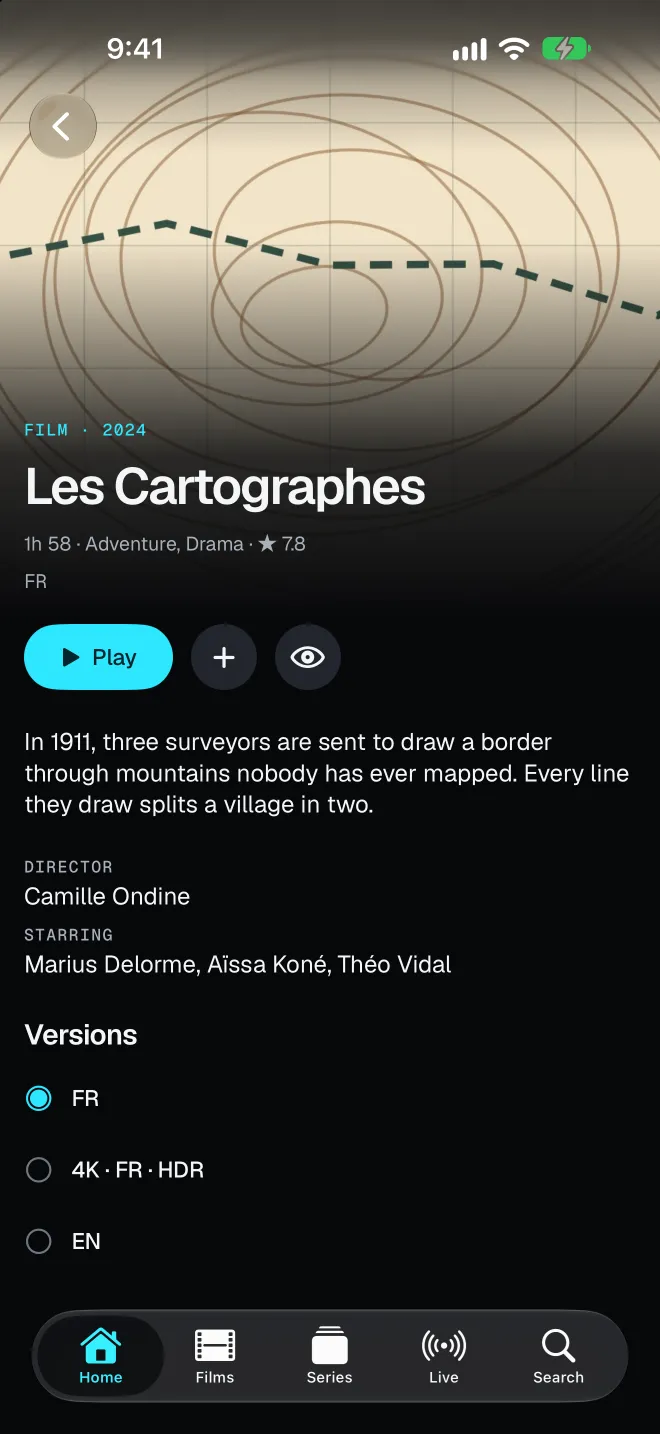
A fictional film's page on iPhone: synopsis, director, cast and three versions.

Series

IPTV series, season by season.

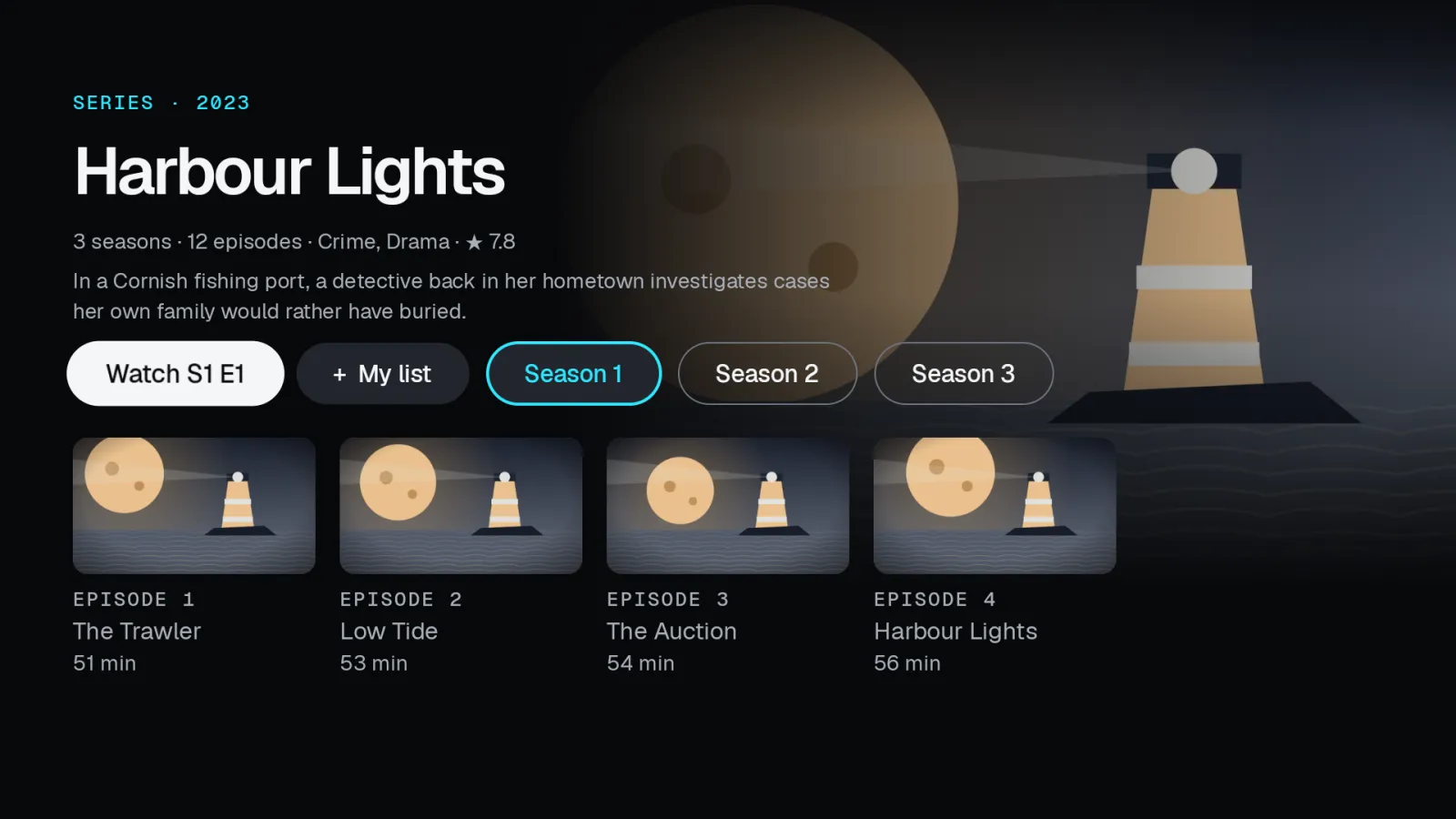
Episodes scattered across your IPTV playlist are sorted by series and season. Filano knows where you are.

  • Resume the last episode in one tap.
  • The next episode starts on its own.
  • Subtitle and audio languages remembered for each series.
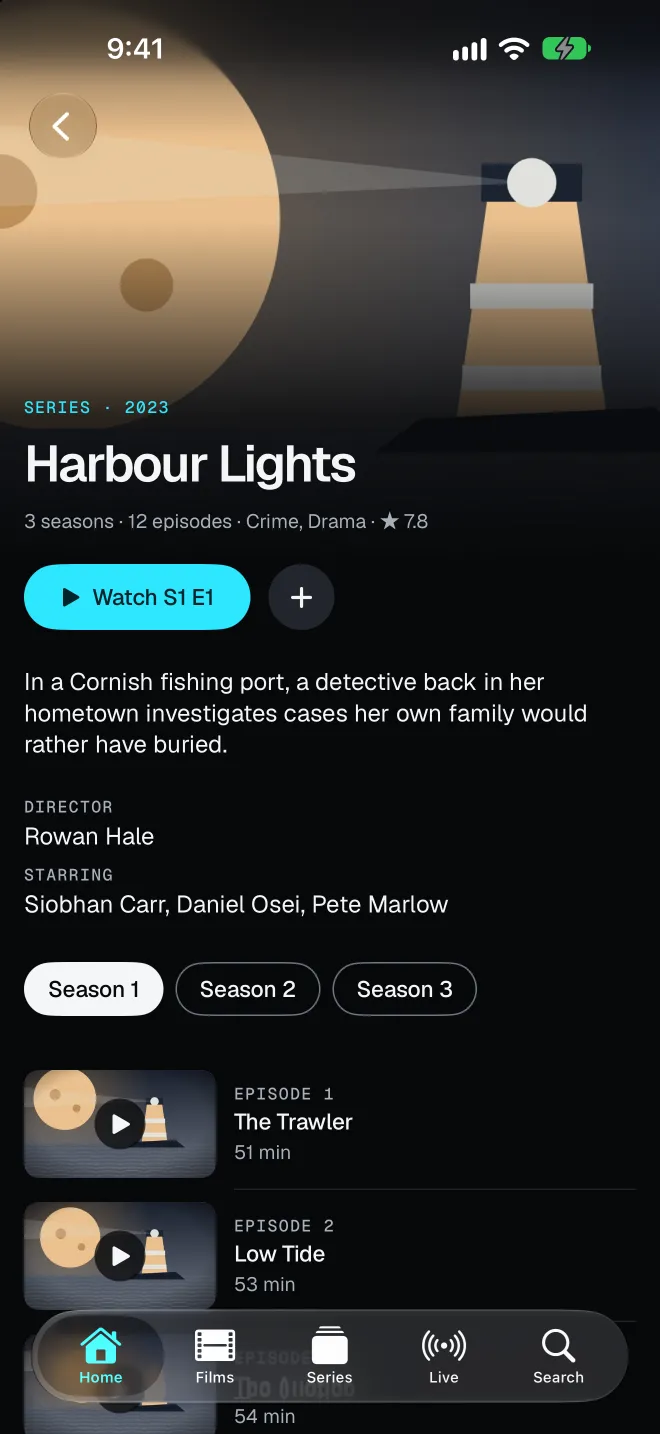
A fictional series on iPhone, with its seasons and episodes.

Live IPTV and TV guide

Live IPTV channels, with what's on.

Add an EPG guide in XMLTV format, or let Filano fetch it from your Xtream Codes login: every channel shows what's on now and what's next.

  • What's on now with its progress, and what's next.
  • A TV guide (EPG) grid, channel by channel and hour by hour.
  • Channel surfing with the remote on Android TV: up, down, channel keys and numbers.
  • A channel banner every time you switch.
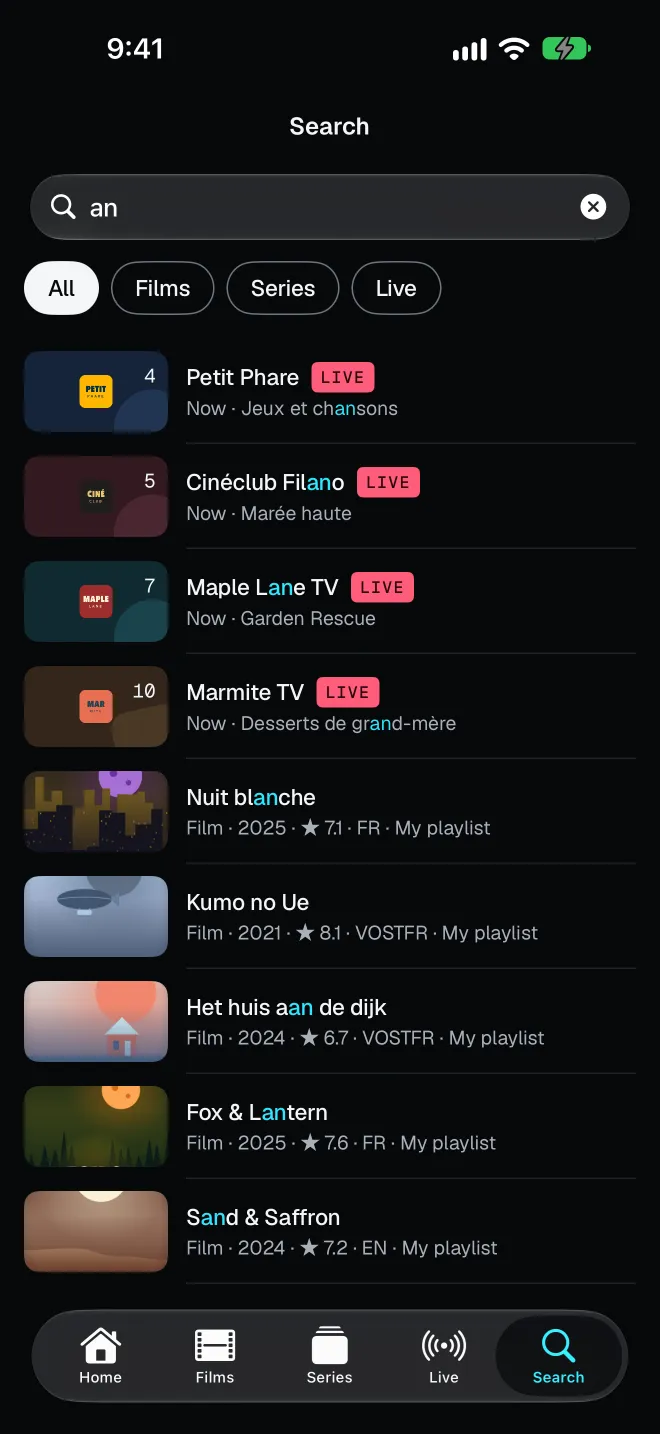
Filano's search on iPhone, with fictional films and series.

Instant search

Films, series and channels at once, ignoring accents and capitals.

Several IPTV playlists

Rename, hide, reorder, change credentials, refresh as often as you like and see when an Xtream access expires.

Subtitles and audio

Preferred language, subtitle size and style, picture fit, playback speed. Your choice is kept for each film or series.

M3U, Xtream Codes, EPG

Import your IPTV list by address (M3U URL), by file or with an Xtream Codes login (server, username, password). Filano reads M3U and M3U8 playlists, HLS streams and EPG guides in XMLTV format.

10 languages

English, French, Spanish, German, Italian, Portuguese (Brazil and Portugal), Dutch, Polish and Turkish.

A demo to explore

A demo playlist with fictional channels and films is included, so you can try the app before adding yours.

Devices

IPTV on Android TV, iPhone and iPad.

An IPTV player designed for each screen: the remote on Android TV, touch on iPhone and iPad.

IPTV on Android TV and Google TV

Built for the remote, on Android TV and Google TV sets and boxes: navigation at the top of the screen, channel surfing and TV guide.

IPTV on iPhone

Tab bar, full-screen playback, picture in picture and AirPlay with iOS's native player.

IPTV on iPad

Posters make the most of the big screen, in portrait and landscape.

Pricing

Simple and fair.

The whole player is there from the first launch: films, series, live TV, the TV guide and all your playlists. Premium adds profiles, sync and lists with no limit: a single purchase, nothing to renew.

Filano

The whole player

€0

To explore Filano and use it every day.

  • Films, series, live and TV guide
  • All your playlists
  • Resume, Watched, playback settings
  • 3 favorite channels and 3 titles in My list
  • A single profile
  • A small Filano mark in the corner of the picture during playback
Filano Premium

For the whole household

€19.99one time

In-app purchase, yours for good.

  • Favorites and My list with no limit
  • Up to 5 profiles, with parental controls
  • “For you” recommendations
  • Sync across your devices
  • The whole picture, with no mark
  • No subscription, nothing to renew

Indicative price in euros, tax included; the App Store or Google Play shows the exact price in your country. The purchase is tied to your Apple or Google account: an App Store purchase covers your iPhone and iPad (Family Sharing included), a Google Play purchase your Android devices. Signed in to a Filano account, Premium also follows you from one store to the other. Restore purchases from the app's settings.

Security and privacy

A safe IPTV player, on your own TV.

Filano installs from Google Play and the App Store, on a TV or an iPhone you already own and that its maker keeps up to date. The app only connects to the addresses you give it, and your logins never leave the device.

An “all-in-one” IPTV box

  • Sold preconfigured, often outside the official app stores.
  • Uncertified Android system, rarely updated, apps of unknown origin.
  • It can be infected out of the box: in 2025 the FBI warned about millions of compromised streaming boxes used by criminals as relays through their owners' internet connection.

Filano

  • An app published on Google Play and the App Store, reviewed by Google and Apple before every update.
  • On your Android TV or Google TV television or box, your iPhone or your iPad, updated by their maker.
  • No access to your files, contacts, microphone or camera: only the internet, to play the sources you add.
  • Filano warns you when your provider uses an unencrypted connection.
Encrypted

Your playlists and their credentials are encrypted on the device.

Optional account

Without one, nothing leaves the device. With one, only your email, lists and profiles are synced.

No tracking

No usage analytics, no trackers.

No ads

Not in the app, not before your videos.

FAQ

Frequently asked questions

What is an IPTV player?

An IPTV player plays channels, films and series delivered over the Internet, from a playlist (often in M3U format) or an Xtream Codes login given by a provider. Filano is an IPTV player: it organizes and plays these sources, but provides none.

Which devices does Filano run on?

On iPhone and iPad, and on Android TV and Google TV sets and boxes. There is no Apple TV app for now.

How do I add an M3U IPTV playlist?

Tap “+” on the home screen (or “+ Playlist” on Android TV), then paste your M3U list's address, import a file or enter your Xtream Codes login. Filano then sorts films, series and channels, with their posters.

How do I play an M3U playlist on iPhone or iPad?

Install Filano on your iPhone or iPad, tap “+” on the home screen, then paste your M3U playlist's address (URL) or import the .m3u file from the Files app. You can also enter an Xtream Codes login and add an XMLTV TV guide address. Playback uses iOS's native player, with picture in picture and AirPlay.

Does Filano support Xtream Codes?

Yes. With your login's server, username and password, Filano imports films, series and live channels, fetches the TV guide and shows when the subscription expires.

Does Filano support EPG (TV guide)?

Yes: EPG guides in XMLTV format by address, or the guide provided by your Xtream Codes login. Every channel shows what's on now and next, and the guide grid shows the hours ahead.

Does Filano provide channels or films?

No. Filano is a player: it does not provide, sell or recommend any channel or content. You add your own sources, and you are responsible for their legality.

Is Filano legal?

Yes. Filano is a player, like a video player: it provides no channels, no content and no subscription. What has to be legal is the source you add: only use playlists and subscriptions from providers that hold the broadcasting rights.

Is Filano safe?

Yes. Filano installs from Google Play and the App Store, which review every version, on a TV or an iPhone you already own. The app only uses the internet, to play the sources you add, and encrypts your playlists and logins on the device. It is a safer alternative to preconfigured IPTV boxes sold outside the official stores: in 2025 the FBI warned about millions of streaming boxes infected out of the box.

What do I need to get started?

An M3U playlist (an address or a file) or an Xtream access (server, username and password) from your provider. You can add an XMLTV TV guide too. Without any of these, the built-in demo lets you explore the app.

Is Filano free?

Yes. The whole player is free: films, series, live channels, the TV guide and all your playlists. Filano Premium is optional, costs €19.99 as a single purchase and removes the free version's limits.

What's the difference between Filano and Filano Premium?

The player is the same. Without Premium: 3 favorite channels, 3 films or series in My list, a single profile and a small Filano mark in the corner of the picture during playback. Premium removes these limits and the mark, and adds up to 5 profiles with parental controls, “For you” recommendations and sync across your devices.

Is it a subscription?

No. Premium is bought once, in the app, and stays yours. There is nothing to renew.

Does my purchase work on all my devices?

It works on every device of the same store: an App Store purchase for your iPhone and iPad (and your family with Family Sharing), a Google Play purchase for your Android TV devices. Sign in to a Filano account and your Premium follows you to your devices on the other store too.

Are my favorites and progress synced?

Yes, with Premium and a Filano account, which is optional (sign in by email, or with a QR code on the TV): favorites, My list, progress and profiles follow you on all your devices. Your playlists and their credentials stay on each device. Without an account, nothing leaves your home. You manage your account, your signed-in devices and its deletion at filano.app/en/account.

Can I create profiles, with parental controls?

Yes, with Premium: up to 5 profiles, each with its own favorites, list, progress and recommendations. A Kids profile hides adult categories (spotted by their names) and the ones you choose, and a PIN protects the categories you lock.

My playlist has no posters. Is that a problem?

No. Filano uses your source's posters and details when it has them, and otherwise designs a typographic poster from the title and year.

How do I watch IPTV on Android TV or Google TV?

Install Filano from Google Play on your Android TV or Google TV set or box, then add your IPTV playlist or Xtream Codes login. Everything works with the remote, channel surfing and TV guide included. Filano is also available on iPhone and iPad.

Which IPTV player should I choose for Android TV?

A good IPTV player for Android TV plays M3U playlists and Xtream Codes logins, shows a TV guide (EPG), works entirely with the remote and resumes playback where you left off. Filano was designed for exactly that, with film pages, series sorted by season and no ads on top. You can try it for free with the built-in demo before adding your playlist.

When will Filano be available?

Filano is coming soon to the App Store (iPhone and iPad) and Google Play (Android TV and Google TV). The links will be added to this page as soon as it is out.
Your IPTV deserves better than a list.

Filano is coming soon to the App Store and Google Play.

Coming soon toApp Store Coming soon toGoogle Play